How to Choose the Right POS Software for Your Business in 2026?
Choose the right POS software in 2026 by comparing features, pricing, inventory tracking, payment processing, reporting, and business needs. Read our full Blog for more Information!
Choosing a Point of Sale (POS) system used to be simple: you needed something to ring up sales, take credit cards, and print a paper receipt. Fast forward to today, and your POS is the digital heartbeat of your entire operation.
In 2026, modern POS software does much more than process transactions. With advancements in cloud computing, artificial intelligence (AI), and omnichannel retailing, the right system can forecast inventory, automate manual tasks, and deliver hyper-personalized customer experiences.
However, with endless options on the market, finding the right fit can feel overwhelming. This complete, step-by-step blog will walk you through everything you need to look for when choosing the right POS software for your business.
Evaluate Core Features (Beyond Basic Checkout)
When comparing systems, it is easy to get distracted by flashy marketing. Instead, focus on the baseline features that keep your day-to-day operations running smoothly:
Real-Time Inventory Management
Say goodbye to manual stock counts. Modern POS software automatically tracks inventory across multiple variants and locations in real time. It triggers instant low-stock alerts, prevents costly out-of-stock scenarios, and streamlines automated reordering so you never miss a sale due to missing inventory.
Cloud-Based Architecture
Cloud POS systems let you securely access critical sales metrics, employee activity, and live inventory reports from anywhere. Plus, built-in offline modes ensure your business keeps processing transactions smoothly even if your internet connection temporarily drops out during peak hours.
Integrated Payment Processing
Eliminate checkout bottlenecks with seamless payment processing. Your system should natively support contactless cards, digital wallets like Apple Pay and Google Pay, and QR codes. Enjoy transparent processing fees, faster payout settlements, and a frictionless experience that keeps queues moving fast.
Robust Reporting & Analytics
Turn raw transaction data into profitable business decisions. Advanced reporting tools give you instant visibility into peak traffic hours, staff performance, employee hours, and best-selling products. Use these actionable insights to optimize staffing, control labor costs, and accelerate your overall growth.
Embrace 2026 Tech: AI and Omnichannel Integration
Retail and restaurant expectations have shifted dramatically. Today’s consumers demand speed, flexibility, and a seamless shopping experience whether they purchase online or walk into a physical storefront. To stay competitive, modern businesses must adopt forward-thinking POS technology that unifies digital and brick-and-mortar operations, leveraging cutting-edge intelligence to anticipate customer needs and eliminate traditional checkout friction effortlessly.
AI-Powered Predictive Insights
Modern POS platforms leverage artificial intelligence to forecast product demand accurately, spot unusual transaction patterns, and suggest automated inventory reorders. By transforming raw historical sales data into proactive business strategies, you can minimize stockouts, reduce waste, and make smarter purchasing decisions that directly protect your bottom line.
Omnichannel Synchronization
If you operate both online and offline channels, your POS must sync your e-commerce platform with your physical store in real time. Features like Buy Online, Pick Up In-Store and centralized customer profiles ensure a unified brand experience, turning casual digital browsers into loyal, repeat brick-and-mortar shoppers.
Mobile POS (mPOS) Flexibility
Tablets and smartphones have revolutionized traditional checkout by turning it completely mobile. Whether you are running a pop-up shop, managing table-side restaurant ordering, or busting checkout lines during a massive weekend rush, mPOS flexibility keeps operations agile, fast, and remarkably customer-focused anywhere you need to be.
Industry-Specific Needs: Retail vs. Hospitality
A POS system built for a high-volume restaurant will rarely suit a boutique clothing store. Make sure your software caters to your specific vertical:
Business Type | Must-Have Features to Prioritize |
Retail & Boutiques | Advanced inventory matrices (sizes/colors), barcode scanning, multi-store syncing, and integrated customer loyalty programs. |
Restaurants & Cafés | Kitchen Display System (KDS) integration, table management, split-bill capabilities, and third-party delivery aggregation (to escape "tablet hell"). |
Service Providers | Appointment scheduling, client database management, recurring billing, and staff commission tracking. |
Total Upfront and Long-Term Costs
Do not choose a POS based solely on a cheap monthly subscription. Always calculate the total cost of ownership, which includes:
Initial Hardware Investment
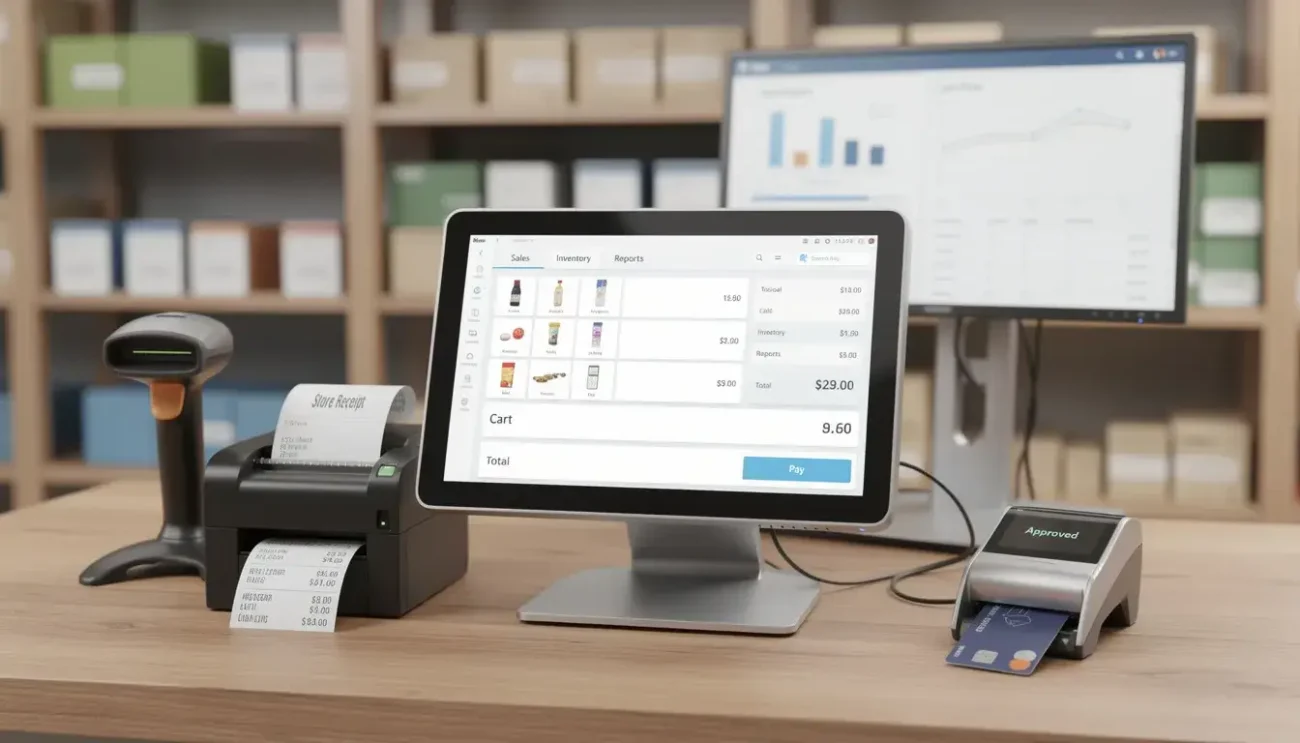
Setting up your POS requires upfront spending on physical equipment. This includes touchscreen terminals, reliable barcode scanners, heavy-duty receipt printers, and secure card readers. Choosing durable, industry-grade hardware minimizes costly replacement downtime, ensuring your checkout lines run smoothly and efficiently from day one.
Software Subscriptions
Most modern POS platforms operate on a SaaS model, requiring monthly or annual recurring software fees. Subscription tiers usually vary based on advanced features, multi-location support, and employee user limits. Always evaluate what is included in your plan to avoid paying for unnecessary add-ons.
Payment Processing Fees
Every transaction incurs a processing cost, typically calculated as a percentage plus a fixed flat cent fee per swipe, tap, or insert. Carefully review your provider's processing rates and payout settlement times. Transparent, competitive pricing structures directly protect your profit margins on every sale.
Hidden Costs
Beware of unexpected expenses that can inflate your budget over time. Watch out for extra charges covering customer support upgrades, software updates, offline mode fees, or costly API integrations. Review your service-level agreements thoroughly to ensure there are no surprises down the road.
Final Checklist Before You Buy
Before signing any contract, put the provider to the test:
Is it intuitive? Can your staff learn to navigate it quickly during a high-stress rush?
Does it scale? Will it easily accommodate your business as you open new locations or expand your product lines?
Is there a free trial? Always test-drive the software interface and hardware ergonomics before committing long-term.